How to automate government account research
A workflow guide for government and education sales teams. What to automate first, which public records predict a purchase, how reps get ranked accounts.

A rep preparing for a call with a school district might spend hours piecing together account research. They check the district website, search recent board agendas, review last year’s budget, and look up key decision-makers in a contact database, only to find that it still lists the former assistant superintendent.
This guide explains which account research steps to automate first, which public records best predict a purchase, how account and contact records stay current in your CRM, and what a rep should actually see.
How do you automate government account research?
Automating government account research means using software to continuously pull agency, district, and campus records, match them to the accounts in your CRM, and score each account on how ready it appears to buy. A rep opens a current brief instead of rebuilding one from public websites before every call.
Which account research steps to automate first
As a general rule of thumb, automate the research steps a rep repeats on every account and that always produce the same type of output. Keep the steps that require a judgment call about specific buyers.
Account research in government and education splits cleanly into retrieval and interpretation.
Retrieval means:
- Finding the district’s or agency’s current department head
- Pulling the last several months of board or council agendas
- Locating the adopted budget and any capital plan
- Checking which vendor holds the contract today and when it ends
A rep runs those four lookups on every account, and each one returns the same type of result. That makes retrieval the first thing to automate.
The other part of account research, interpretation, is different.
Automate retrieval, then let reps spend the time they get back on interpretation.
Teams that try to automate interpretation first usually regret it. Summarizing a document that wasn’t properly selected is just a faster way to create the wrong context.
How much time manual account research actually takes
Retrieval, in the account research, is typically the biggest time sink.
A rep working a territory of two hundred accounts, spending twenty minutes of lookup on each one, loses more than sixty hours before a single call is personalized.
Every one of those lookups also goes stale on its own schedule.
Sales teams are already moving in this direction. Gartner research reported by Demand Gen Report projects that by 2027, 95% of sellers’ research workflows will begin with AI, up from less than 20% in 2024. The same research found that organizations that prioritize AI upskilling for sellers are 2.4x more likely to achieve strong revenue growth, so the tooling alone does not produce the gain. Reps have to be trained on what the automated output is for.
Which public signals predict a government or education purchase
A public record predicts a government or education purchase (and therefore earns a place in an automated workflow) only when it is dated, tied to a named entity, and produced before the buyer has made a purchase decision.
Records that report a decision already made are useful for market analysis, but they cannot tell a rep when to reach out.
- The date matters because it tells a rep how much room is left.
- A budget request filed in the spring for a fiscal year starting in July gives a seller months to shape what the department asks for.
- An awarded contract posted in the fall tells that seller they are already too late.
Meeting agendas, budget requests, and capital plans all appear before the purchasing decision, which is why vendors can predict purchases.
Bid postings, award notices, and press releases appear after it, which is why they mostly confirm what a competitor already knows.
An expiring contract sits in between because the end date is public long before the buyer decides whether to renew.
Public meeting and records requirements are the reason this works at all. Boards and councils must publish their discussions, so buying intent is documented in advance and carries a date.
Run every candidate record through that three-part test before adding it to the workflow. A source that fails any one of them adds volume to a rep’s day without changing which account they close.
Keeping government account and contact records current in your CRM
Government and education records decay faster than commercial records, so an automated workflow needs a defined refresh cadence and a single clear write path into the CRM.
The reason for the fast decay is above average leadership turnover.
- Superintendents report an average tenure of 5.4 years in their current district, according to the AASA 2025-26 Superintendent Salary and Benefits Study.
- Turnover across the nation’s 500 largest districts reached 23% in the 2024-25 school year, a 20% increase over the prior year, according to the ILO Group’s annual Superintendent Research Project.
- Roughly one in four of the largest districts changed leadership in a single year.
If a quarter of your largest accounts change their top decision-maker each year, an annual data refresh leaves a rep working from the wrong name for months.
Quarterly verification on the accounts a rep actually works, combined with continuous monitoring of the roles you sell to, keeps the error rate low enough to trust.
To sync this seamlessly into your CRM, choose which system owns each field, whether the enrichment source can overwrite a rep’s manual edit, and what happens to a contact who leaves.
Archiving a departed contact and creating their successor preserves the history. Overwriting the record destroys that history.
If you want to automate the manual lead research process, consider Starbridge.
Starbridge is the AI GTM platform for companies selling to the government, K-12, and higher education, helping teams prioritize the right accounts, engage the right people earlier, and identify high-intent opportunities before the competition.
Contact and account data flows in both directions through native Salesforce and HubSpot integrations, so the record a rep opens in the CRM is the same record the platform verified.

Mantra Health 3x’d their data enrichment coverage across more than 3,000 higher ed accounts using bidirectional Salesforce sync, without requiring a technical Salesforce admin.
Turning automated research into a prioritized account view for reps
Automated research fails the moment it gives a rep more to read. The output must be a ranked, ready to be worked list of accounts. With each account showing the dated reason it moved and the person to contact.
This means, accounts should be ranked based on evidence a rep can act on. An account should rise up the list when a named board votes to fund a program you sell.
That entry should include the date of the vote, the source document, and the person who owns the budget. An account should fall when nothing has changed for a quarter. If a rep disagrees with the ranking, they need to see the underlying record in one click, or they will stop trusting the list entirely.
A daily digest of a rep’s own territory beats a shared dashboard that everyone skims and nobody owns.
Doing this by hand does not scale beyond a small territory. Tracking board agendas, contract end dates, and leadership changes across the entire TAM, and then custom-tailoring it to each rep requires more resources than most teams have.
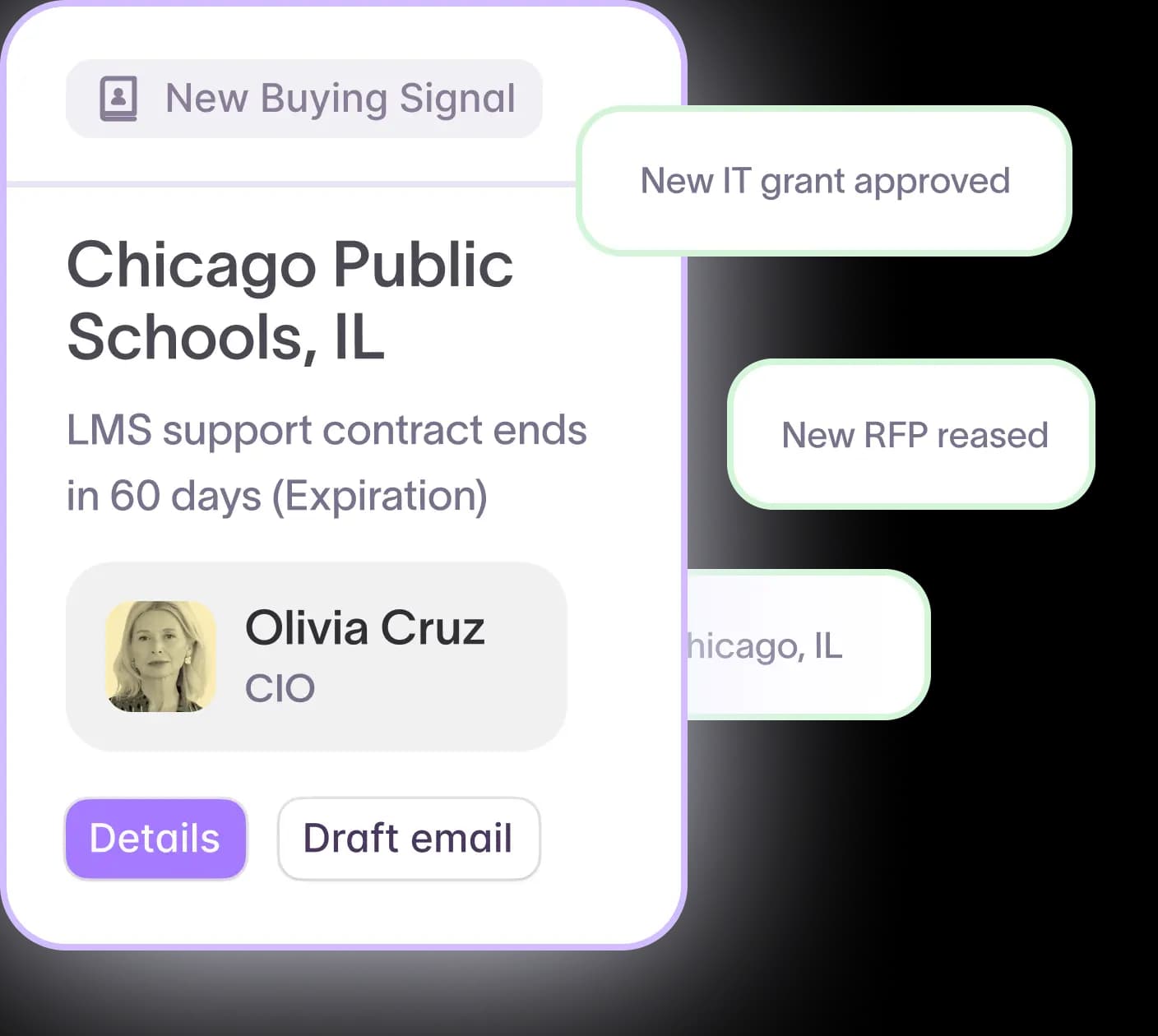
Starbridge monitors 320k+ government and education entities around the clock and scores every account in a territory on how ready it appears to buy. Each account includes the buying indicator that triggered it, the source document, and the contact who owns the decision. That is what a rep opens instead of a raw feed.
InquirED drove $200K in new pipeline in their first quarter after replacing manual board-document research with signal-driven account scoring to identify which districts were actually ready to buy.
Building the research motion your reps actually use
Automating government account research is an operational change.
- You decide which lookups your reps repeat on every account and hand those to software.
- You choose the public records that include a date, name an entity, and appear before the buying decision.
- You set a refresh cadence that matches how quickly government and education leadership turns over.
- Then you deliver the result as a ranked account list with the reason each account moved.
Reps get their week back and spend it on the one part no system can do, which is deciding what to say to the person who owns the problem.
If you’d rather have an out-of-the-box solution that automates government account research across your entire TAM, while having a dedicated GTM engineer setting it up for you completely hands off, then book a demo of Starbridge today.
Frequently asked questions
No, ChatGPT cannot automate government account research. It cannot scrape meeting minutes or constantly monitor thousands of agency and district websites for the latest transcripts. While it can summarize a document you provide, it lacks the ability to monitor public records on a schedule or verify and sync contacts directly into your CRM. Teams that attempt to use ChatGPT for this purpose typically end up manually collecting data, one account at a time.
Judgment, and building relationships stays human. AI GTM Platforms like Starbridge can find the budget document and the right contact, frame the pitch for that buyer, and even show whether a public discussion reflects real demand or routine housekeeping. But the sales rep will be the person who calls, builds the relationship and ultimately closes the deal.
Yes. Federal opportunities are concentrated in a small number of central portals. State and local government, school district, and campus opportunities are spread across tens of thousands of individual websites, board portals, and budget documents, so collection of SLED documents is the hard part rather than filtering.
Track research hours per account before and after, meetings booked from prioritized accounts, and email bounce rate. Hours saved prove efficiency. Meetings from ranked accounts prove the ranking is accurate. A declining bounce rate proves the contact refresh is working.
Yes, and the document sources differ. Districts publish board agendas, minutes, and adopted budgets. Campuses publish trustee materials, capital plans, and departmental strategic plans. The workflow is the same, so the collection must cover both record types and both purchasing calendars.
Explore our use case library
 Automate account research with AI agentsStop manually researching accounts. Starbridge AI agents automate account research by monitoring buying signals 24/7 and surfacing the right contacts.
 Identify competitor contract expiration datesThe RFP is usually a formality. Starbridge surfaces competitor contract expiration dates so your reps reach accounts before the renewal cycle closes.
 Create a conference campaignTurn conference badge scans into pipeline. Import your contact list, surface buying signals across every account you met, and follow up with context.